Role-based access for every person in an interior firm
Role-based access means each person in your firm sees only what their job needs. In the D&B Operating System, the owner sees everything, project managers run their sites, designers see only their projects, site supervisors post from their phones and accounts handle quotes, invoices and payments. Sign-in uses two-step verification. BRANDSWOT Consultancy built it for interior and design-and-build firms.
On this page
Why role-based access matters in an interior firm
In many firms, everyone shares one login or one Google Drive folder. A new designer can see every client's budget. A site supervisor who left last month still has the group link. And the owner cannot tell who changed a quote.
Clear roles fix both problems. People see what they need, and the record shows who did what.
The five core roles
| Role | Sees and does |
|---|---|
| Owner | Pipeline value and conversion by stage; late projects; money due, received and overdue; team workload and attendance; approvals waiting; reports to share with partners |
| Project manager | Timelines from design to handover; tasks with due dates; site updates and photos; client approvals and change requests; vendor and material status; snag list |
| Designer | Client brief and site measurements; design rounds with version history; client comments in one thread; material and finish selections; hand-off to quotation; only their projects |
| Site supervisor | Today's tasks for their site; photo updates in two taps; material requests; labour and attendance; issues flagged to the PM; no laptop needed |
| Accounts | Quotes from rate cards; milestone invoices with GST; payment reminders and receipts; vendor bills and expenses; project profitability; exports for the accountant |
How to set up roles, step by step
Your firm keeps full admin control of users, roles and settings. BRANDSWOT Consultancy holds a recovery key only for emergencies, such as an admin locked out.
- List everyone who will use the system and what they do each week.
- Give each person the role closest to their job.
- Decide who can see money, client contact details and reports.
- Invite each person with their own sign-in and two-step verification.
- Review access when someone joins, changes role or leaves.
Sales teams, branches and larger firms
In small studios, the owner or a senior designer usually handles sales through the CRM's lead sources, stages and follow-ups. Tiered roles and permissions let you decide what a dedicated sales person sees as you grow.
The Practice plan supports multiple project managers and site teams. Enterprise supports several branches and teams, with custom workflows, priority support and training, for firms with 30+ people or several offices.
Security basics
- Two-step verification at sign-in.
- Lock-out after failed sign-in attempts.
- Separate sign-ins for every person, never a shared password.
- Runs on your own domain, under your brand.
What the client sees
Clients deal with the right person at each stage, and that person has the full history, from the first enquiry to the latest site photo. The designer knows the brief, the PM knows the schedule and accounts know what is due. Nobody asks the client to repeat themselves.
Related client work
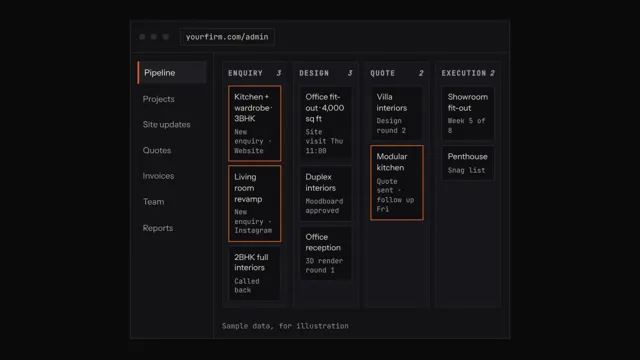 D&B Operating System
An interior project app for studio owners
Studio owners carry the most context and have the least time. The owner view puts every lead, project, payment and person on one dashboard. It shows pipeline value, late projects, money due and overdue, team workload and approvals waiting.
It works as an interior project app in the owner's phone browser, so the morning check takes minutes instead of a round of calls. Reports on pipeline, projects and payments can be shared with partners.
Questions people ask
What is role-based access for project teams?
Role-based access gives each person permissions based on their job rather than one login for everyone. A designer sees their projects, a supervisor sees their site and accounts see invoices. D&B Operating System uses tiered roles and permissions for owner, project manager, designer, site supervisor and accounts.
Is two-factor login important for a CRM?
Yes, it matters. A CRM holds client phone numbers, addresses, budgets and payments, so a stolen password is a real risk. Two-step verification adds a second check at sign-in. D&B Operating System uses two-step verification and locks accounts after repeated failed attempts. Each person should have their own sign-in.
Can site supervisors use it without a laptop?
Yes. Site supervisors use their phone browser to see today's tasks, post photo updates, raise material requests, record labour and attendance and flag issues to the PM. Nothing needs installing, and the office sees each update straight away under the right project, with the date and site.
Does it support multi-branch interior companies?
Yes, through the Enterprise plan, which is for firms with 30+ people or several offices. It covers several branches and teams, custom workflows and modules, and priority support and training. Pricing is on request, with a written quote after a demo that covers your branch set-up.
How do I give team members access to only their projects?
Assign each person a role and add them to the projects they work on. In D&B Operating System, designers see only the projects they are on and supervisors see their own site's tasks, while the owner keeps the full view. Remove people from a project when their part is done.
Who controls user accounts after set-up?
Your firm does. After deployment, you have full admin control of users, roles, settings and data. BRANDSWOT Consultancy keeps a recovery key only to help if an admin is locked out or an account needs restoring. Review access whenever someone joins or leaves the firm.
Can a sales person use the system?
Yes. Whoever handles enquiries works in the CRM, with lead sources, stages and follow-up reminders. In small studios that is often the owner or a senior designer. Tiered roles and permissions let you decide what a dedicated sales person sees, such as leads and quotes but not project costs.